
This is for editing the properties of the object that has been selected in Object View.
Property Editing supports Undo (Ctrl+Z ) and Redo (Ctrl+Y).
You can edit more than one object at the same time by selecting multiple objects from Schematic Display or one of the various other view modes of Object View.
To select multiple objects, hold down the Ctrl key while selecting individual objects, or use the mouse and the Shift key to select a range.
If multiple objects have been selected, when you open the Property panel and edit properties, those edits will be applied to all of the selected objects.
You can copy & paste items in categories in the Property window
The following methods have been prepared for copy & paste operations:


If the selected category contains sub-categories, the contents of those sub-categories will be copied as well.
When the information is pasted, the settings of the copied sub-categories will also be pasted.
If you want to open more than one Property window at the same time, press the Pushpin button in the top-left part of the window.
When you press the Pushpin button the selected objects are fixed, so now you can open another Property window or some other window.
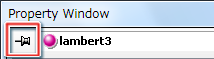
If you press the Pushpin button again, the fixed objects will be released.
CONFIDENTIAL