Light Set
Light sets used during rendering can be configured here.
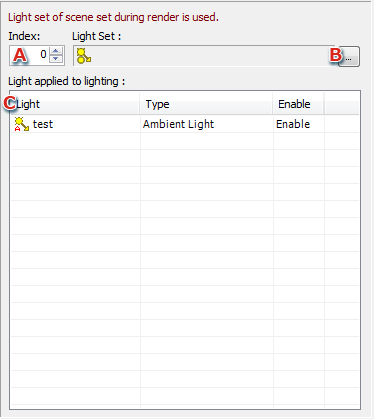
- Number
Select the number of a light set added to the scene.
Displays a list of the lights used by the light set having the selected number.
- Browse Folder icon
Clicking this icon displays a Light set select dialog, where any light set can changed.
- Displays a list of lights configured for the selected light set.
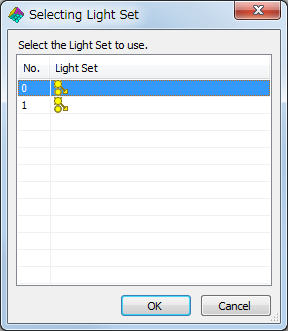
Select Light Set dialog
This dialog is displayed when you click the Browse Folder icon.
A list of light sets configured for the scene is displayed. Select the light set to be used by the material.
CONFIDENTIAL