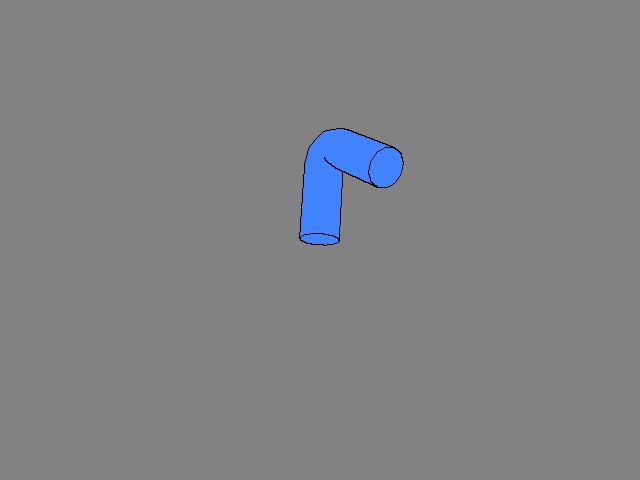
This example demo tests the cartoon outline functionality of the Wii. Outlines are drawn by a two-pass rendering algorithm. In the first pass, the object ID number is written into the alpha plane. The alpha plane is then copied and used as a texture. The second pass determines which part should be outlined from that texture information. The alpha comparison feature assists in this processing. (For details, see Algorithm Details.)
This list doesn't contain settings for drawing other than outlines.
| Functions | Parameters | Description |
GXSetTexCopySrc |
Left, top, width, height | 0, 0, SCREEN_WD, SCREEN_HT |
GXSetTexCopyDst |
Width | Constant (SCREEN_WD) |
| height | Constant (SCREEN_HT) |
|
| Texture Format | GX_TF_A8 |
|
| Mipmap filter | GX_DISABLE |
|
GXCopyTex |
Copy buffer | Appropriate buffer |
| Clear copy | GX_DISABLE |
|
GXInitTexObj |
Texture object pointer | For output |
| Pointer to bitmap | Gets data through GXCopyTex |
|
| Width | SCREEN_WD |
|
| height | SCREEN_HT |
|
| Texture format | GX_TF_I8 |
|
| Clamp_s, clamp_t | GX_CLAMP, GX_CLAMP |
|
| Mipmap enable | GX_DISABLE |
|
|
Texture object pointer | Same as GXInitTexObj |
| min_filter | GX_NEAR |
|
| max_filter | GX_NEAR |
|
| min_lod, max_lod, lod_bias | 0.0f, 0.0f, 0.0f (don't care) | |
| bias_clamp, do_edge_lod | GX_DISABLE, GX_DISABLE ( don't care ) |
|
max_aniso |
GX_ANISO_1 ( don't care ) |
|
GXSetNumTexGens |
Number of texture coordinates to generate | 2 |
GXSetTexCoordGen |
Name of the texture coordinate to be generated | GX_TEXCOORD0 / GX_TEXCOORD1 |
| Function type | GX_TG_MTX2x4 |
|
| Source attribute | GX_TG_TEX0 |
|
| Texture matrix select | Appropriate value. | |
|
Each argument | See Algorithm Details. |
|
Each argument | See Algorithm Details. |
|
Each argument | See Algorithm Details. |
|
Each argument | See Algorithm Details. |
|
comp0 |
GX_GREATER |
ref0 |
Appropriate tolerance value | |
op |
GX_AOP_AND |
|
comp1 |
GX_LESS |
|
ref1 |
Appropriate tolerance value |
The Control Stick rotates the object. The C Stick controls the zoom parameter of the camera. The L and R Buttons stretch and bend the object.
START exits the demo.
None.
(Under Construction)
2006/03/01 Initial version.
CONFIDENTIAL