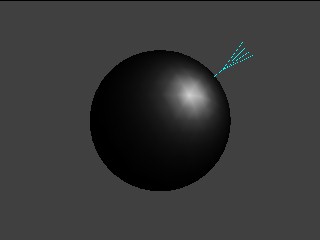
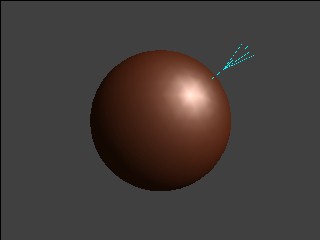
This program does a demonstration of specular lighting. It also uses two light channels to show the overlay of diffuse and specular light colors. A specified light object for a specular light can also act as a pseudo parallel light if used in the diffuse light channel. This property is used in the demo; the same light object (GX_LIGHT0) is applied to both channels.
| Functions | Parameters | Description |
GXInitLightPos |
Position coordinate (x, y, z) | Appropriate value. |
GXInitSpecularDir |
Light direction (nx, ny, nz) | Appropriate value. |
GXInitLightShininess |
Shininess parameter | Values ranging from 4.0 through 256.0. |
GXSetNumChans |
Number of color channels. | 1, 2 |
GXSetChanCtrl |
Color channel ID | GX_COLOR0, GX_COLOR1 |
| Channel enable | Always GX_ENABLE. |
|
| Ambient color source | Always GX_SRC_REG. |
|
| Material color source | Always GX_SRC_REG. |
|
| Light mask | GX_LIGHT0 for both channels. |
|
| Diffusion function | GX_DF_NONE, GX_DF_CLAMP |
|
| Attenuation function | GX_AF_NONE, GX_AF_SPOT, GX_AF_SPEC |
|
GXSetChanAmbColor |
Color channel ID | GX_COLOR0, GX_COLOR1 |
| Material color | Only one color. | |
GXSetChanMatColor |
Color channel ID | GX_COLOR0, GX_COLOR1 |
| Material color | Only one color. |
End the test with START.
The Control Stick moves the light.
The C Stick rotates the object.
The B Button changes the model.
The L and R Buttons adjust the shininess of specular light.
The Y button changes the display mode in the following order:
Specular only, diffuse only, specular/diffuse added, specular/diffuse blended
Specular light color only.
Uses two color channels. Diffuse light color is added to specular light color.
None.
2006/03/01 Initial version.
CONFIDENTIAL