#include <revolution/gx.h>

#define GXInitLightShininess(lobj, shininess)   \
        GXInitLightAttn(lobj, 0.0F, 0.0F, 1.0F, \
                    (shininess)/2.0F, 0.0F,     \
                    1.0F-(shininess)/2.0F )
| lobj | Pointer to a light object. |
|---|---|
| shininess | shininess parameter |
None.
This function sets the shininess of a specular light at the vertex level. In reality, shininess is a property of the material being lit, not the light. However, in the graphics processor, the specular calculation is implemented by reusing the diffuse angle/distance attenuation functions, so shininess is determined by the light attenuation parameters.( (See GXInitLightAttn.) The arithmetic formula approximates the function (N*H)^shininess "(Normal vector (1/2 the line-of-sight and the light direction))^brightness" Since the attenuation formula is only a ratio of two differential equations, it cannot be used as an accurate exponential function. To enable specular calculations, the lighting channel attenuation parameter must be set to GX_AF_SPEC using the GXSetChanCtrl function.
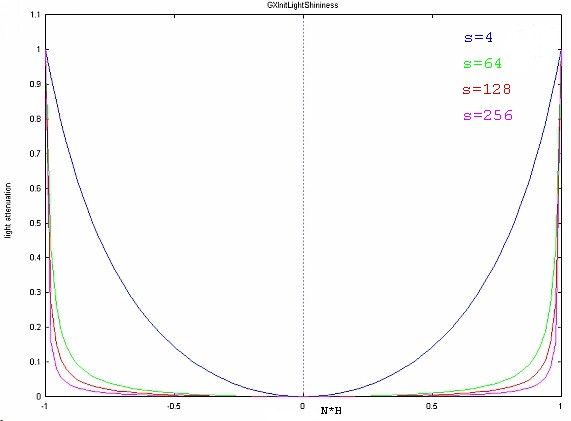
The graph below represents the attenuation curve for various shininess levels (shininess).
As you can see from the graph, a larger value of shininess creates a narrower specular highlight.
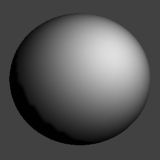
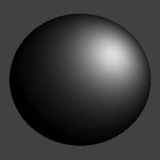
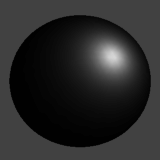
And the following image shows result samples.
 |
 |
 |
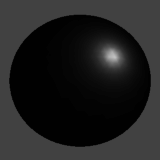 |
| shininess = 4.0 | shininess = 16.0 | shininess = 64.0 | shininess = 256.0 |
GXSetChanCtrl, GXLightObj Initialization Flow
2006/03/01 Initial version.
CONFIDENTIAL