DynamicMaterialDemo
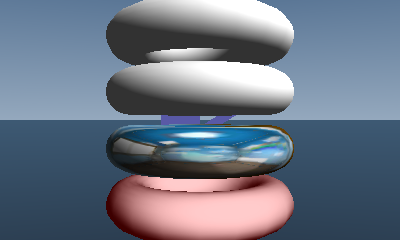
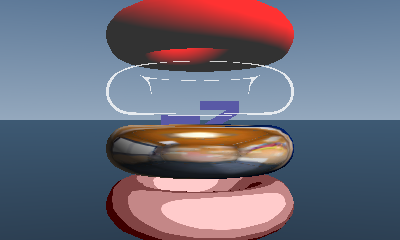
This demo dynamically changes material settings.
This demo can change four types of material settings.
In order from top down, it can change materials, buffers, textures, and lookup tables.
This demo can change material settings.
Each of the four methods of making changes will be described separately.
In the past, separate material settings were applied without setting the material configured for the model.
Run StartMaterialChangeRenderCommand before drawing a model whose material is to be changed. After rendering, run EndMaterialChangeRenderCommand.
StartMaterialChangeRenderCommand
Use the SetMaterial function to set the material to swap. Set SetRenderMode to RENDERMODE_IGNORE_MATERIAL to not set the material of the model to be drawn is not set and to ignore the material settings.
EndMaterialChangeRenderCommand
This command restores the RenderMode changed by the StartMaterialChangeRenderCommand to its original state. Set RENDERMODE_DEFAULT to restore original status.
Use the material buffer when changing material settings to change the material settings for each model instance.
The demo changes the diffuse color of the material.
To use the material buffer, use the model's BufferOption to specify the options you want to use as the scene's BufferOption.
To dynamically set textures, set SetTexture to ResTexture. Ownership does not change even if you set SetTexture.
After changing a texture, disable the hash by setting SetTextureMappersHash to 0.
To dynamically change lookup tables, set SetSampler to ResLookupTable. Ownership does not change even if you set SetSampler.
After changing a lookup table, disable the hash by setting SetFragmentLightingTableHash to 0.
CONFIDENTIAL