WORLD_COORDINATE) and model coordinate system both exist in the matrix coordinate system.WORLD_COORDINATE. However, MODEL_COORDINATE can be used when sharing animations among more than one model. MODEL_COORDINATE, use SetFlags to specify ResSkeleton::FLAG_MODEL_COORDINATE.
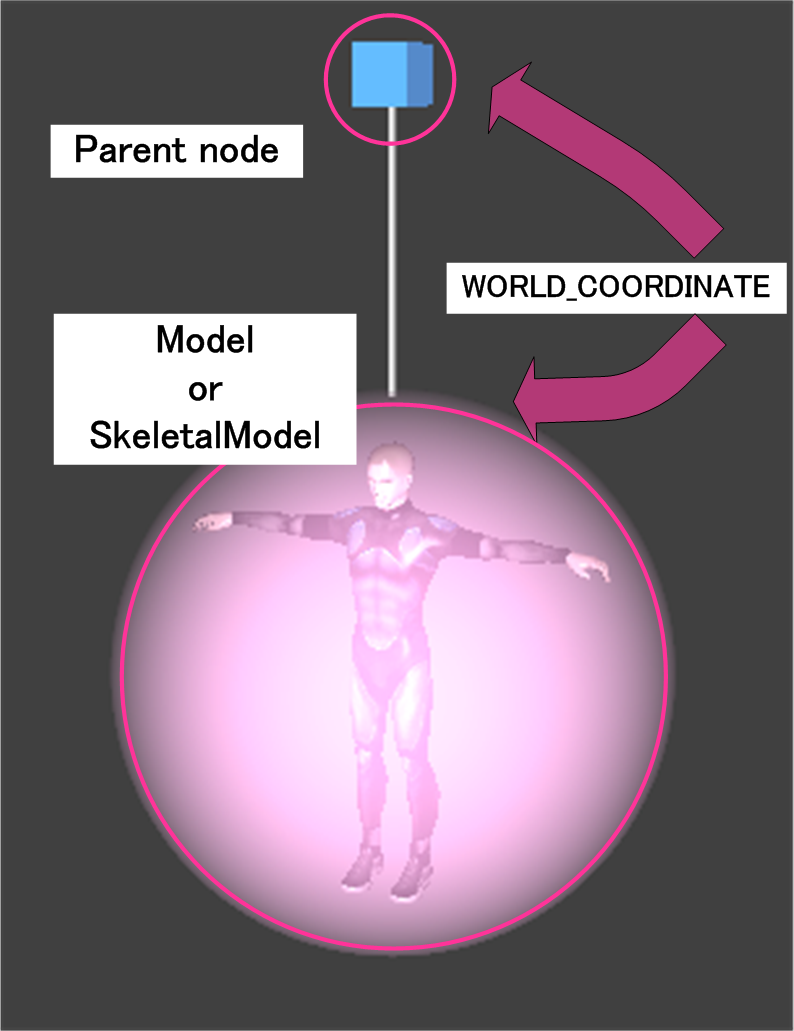
All calculations for TransformNode and its sub-classes use WORLD_COORDINATE.
With Model objects, WorldMatrix is input to UnivReg of the vertex shader and applied to vertices. Meanwhile, with SkeletalModel, vertex shader processing differs depending on the coordinate system.
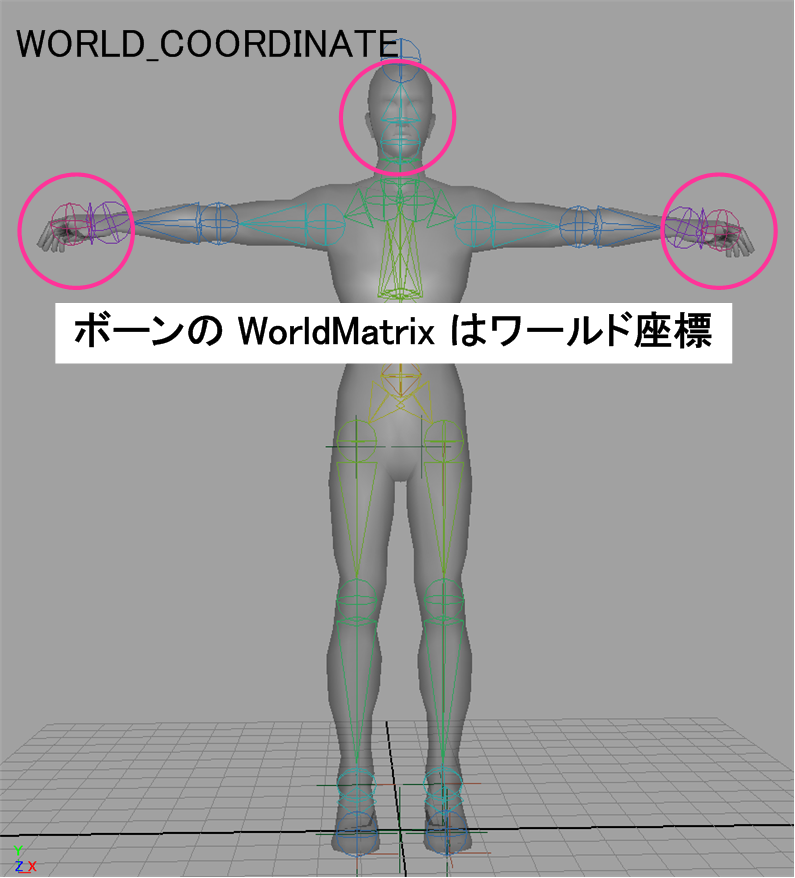
For WORLD_COORDINATE, the SkeletalModel's WorldMatrix is applied to the bone's WorldMatrix using the UpdateWorld function of the SkeletonUpdater object.
WORLD_COORDINATE is thus used for the WorldMatrix of all bones that can be obtained using the WorldMatrixPose function.
Because WORLD_COORDINATE is used as the WorldMatrix for bones, the WorldMatrix objects for bones input to UnivReg by the vertex shader are used as-is.
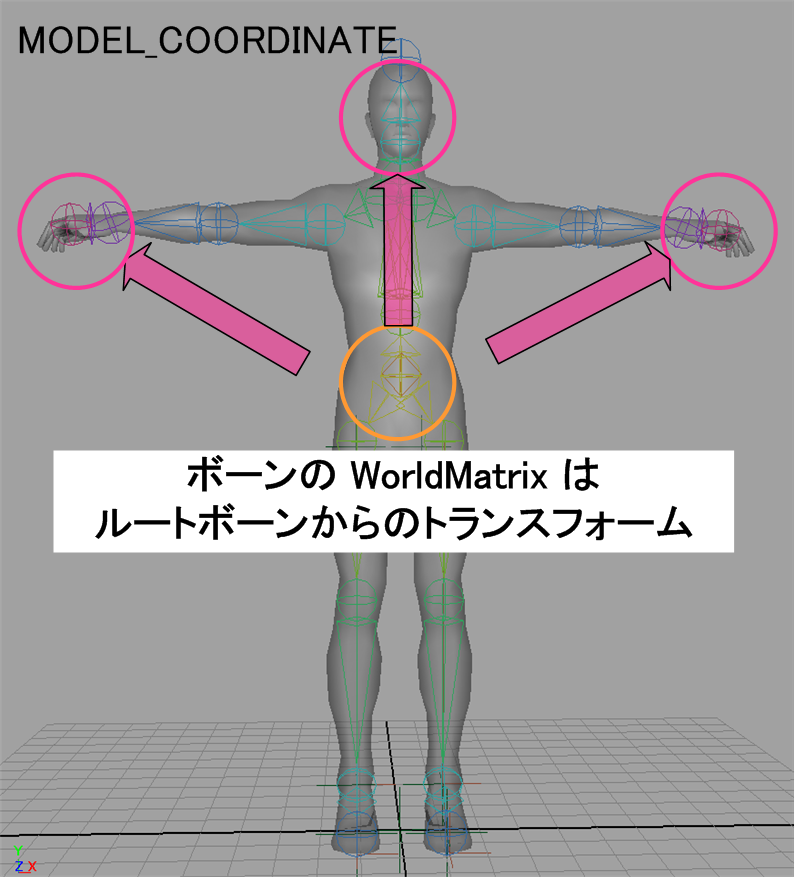
For MODEL_COORDINATE, the model coordinate system is used for the WorldMatrix for bones when calculating using the UpdateWorld function.
The model coordinate system is used for transforms from the root bone.
Because the WorldMatrix for bones uses MODEL_COORDINATE, the WorldMatrix of the SkeletalModel is applied to the WorldMatrix for bones input to UnivReg by the vertex shader.
MODEL_COORDINATE.MODEL_COORDINATE, use SetFlags to specify ResSkeleton::FLAG_MODEL_COORDINATE. After creating a SkeletalModel to use as the base, get the skeleton to share using the GetSkeleton function, and then pass it to the SharedSkeleton of SkeletalModel::Builder. By creating a SkeletalModel in this way, you can create a new SkeletalModel while the base SkeletalModel maintains ownership rights.
When sharing skeletons, you must render the base SkeletalModel used for sharing. If you will not render the base skeleton used for sharing, use the SwapSkeleton function to transfer ownership rights to another SkeletonModel.
SkeletalModel that shares skeletons by updating and rendering as usual after creation.MultiInstanceDemo for implementation details.ConstraintDemo for details on how to rewrite a node bone world matrix. You must usually update the scene first before overwriting the world matrix of a node or bone.DisableFlags function to set FLAG_IS_WORLDMATRIX_CALCULATION_ENABLED on the CalculatedTransform obtained using either WorldTransform or WorldTransformPose.TransformNode, set a WORLD_COORDINATE matrix for TransformNode::WorldMatrix. Note that the method used to overwrite the world matrix of a bone depends on the coordinate system. WORLD_COORDINATE, get the matrix using WorldMatrixPose::GetMatrix and configure a WORLD_COORDINATE matrix.MODEL_COORDINATE, get the matrix using WorldMatrixPose::GetMatrix and configure the matrix from the root bone.MODEL_COORDINATE, you must also overwrite the SkeletalModel's WorldTransform.SkeletonUpdater. The scale given by Transform and LocalTransformPose is for one's own nodes and bones, while the scale given by WorldTransform and WorldTransformPose is an accumulation of scaling factors from the root node to one's own node.
CONFIDENTIAL