
Sequence sound sets are created in a two-step process. First, you create the sequence sound set, and then you create the sequence sounds for that set.
For more information on creating sequence sounds, see Creating Sequence Sounds and Creating Banks.
Sequence sound sets are created and edited in the Sound Set tab, using the Sequence Sound Set List and Sequence Sound List.
Double-click the Sequence Sound Set node in the project tree (or single-click if the Sound Set tab is open). The Sound Set tab is split into upper and lower sections, displaying two kinds of lists.
The upper list is called the Sequence Sound Set List, and the lower list is called the Sequence Sound List.
To create a Sequence Sound Set, select to view the sequence sound set and then select Project → Add Item → Sequence Sound Set....
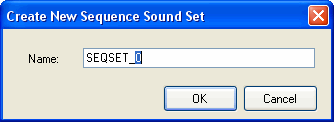
Enter a name in the Create New Sequence Sound Set dialog that appears.
CONFIDENTIAL