Main Window
This page describes the names and features of the main user interface in the CreativeStudio main window.
CreativeStudio Main Windor Names and Features
This page describes the CreativeStudio main window settings and features.
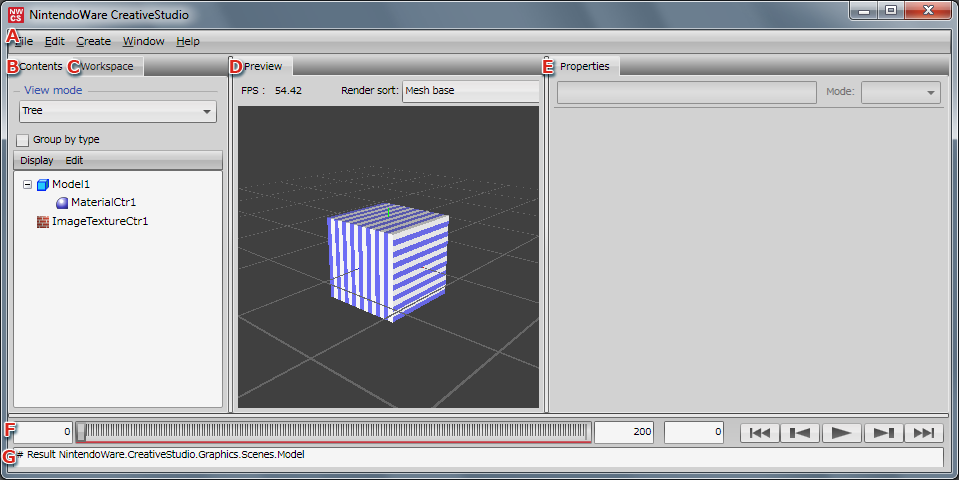
-
This is the CreativeStudio command menu.
-
You can select various content used by CreativeStudio.
The Contents panel can be opened in a window of its own separate from the main window.
-
Workspace

-
Preview panel
Allows a preview of content edited using, or loaded into, CreativeStudio.
For shortcut keys available in the Preview panel, click here.
Currently, the default size of the grid displayed in the Preview panel is set to the Maya default size of five grid squares.
-
Selecting content displays corresponding settings.
The Properties panel can be opened in a window of its own separate from the main window.
-
Timeline
This panel can control animation such as playback and stop.
-
This panel displays error information and the status of files loaded into CreativeStudio.
A separate Console panel has been prepared for the console.