
Wave sounds are created in two stages: the creation of the wave sound set and the creation of the wave sounds used by the wave sound set.
First, create a wave sound set. Then create the wave sounds to be used in that wave sound set.
During conversion, waveform data used for each wave sound is collected together at the wave sound set level.
Although wave sounds are what actually get played as sounds, the waveform data for these wave sounds are loaded into memory in units of wave sound sets.
Wave sounds are created and edited using the Wave Sound Set List and Wave Sound List in the Sound Set tab.
Click the Wave Sound Set node in the project tree. The Sound Set tab is split into upper and lower sections, displaying two kinds of lists.
The upper list is called the Wave Sound Set List, and the lower list is called the Wave Sound List.
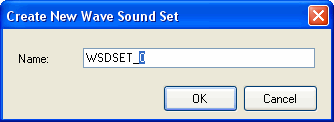
To create a wave sound set, first click on the list region inside the Sound Set tab to move the focus, and then from the menu, select Project → Add Item → Wave Sound Set....
The Create New Wave Sound Set dialog box appears. Enter the required information.
Wave sounds are created using the Wave Sound List.
Click the Wave Sound Set node in the project tree and then select a wave sound set from the Wave Sound Set List in the upper part of the Sound Set tab. When this is done, the wave sounds inside this selected set appear in the lower part of the tab.
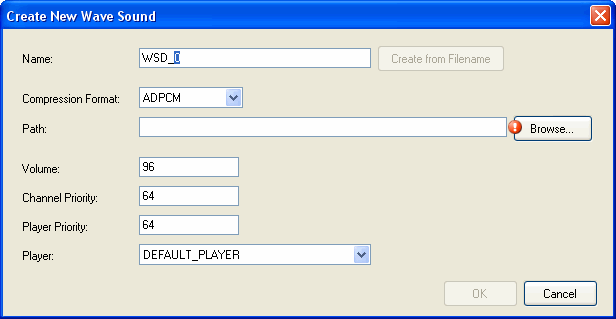
To create a Wave Sound, select the Wave Sound Set you want to include it in and then select Project → Add Item → Wave Sound....
The Create New Wave Sound dialog box appears. Enter the required information.
If you specify a file in the path, the Create from filename button becomes active.
CONFIDENTIAL