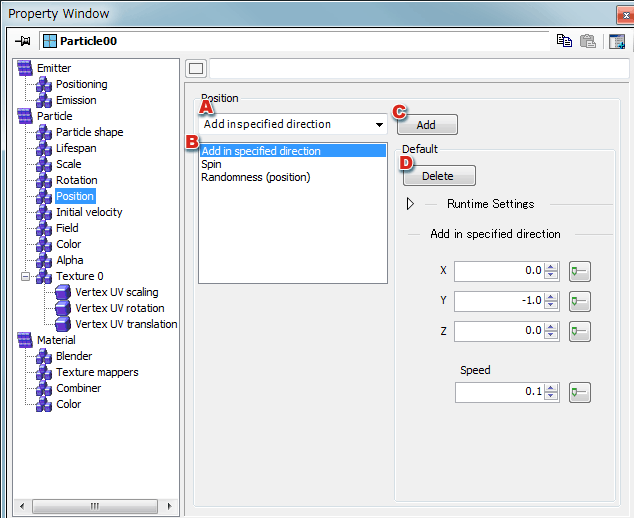
Position

Here, you can set detailed information about the position.
Detailed Position Information

Rotation

  1. Selects items to be added to the list box.
  2. Adds selected items to the list box.
  3. Selects the items whose values you want to edit from among those added.
  4. Deletes the item currently being edited.
    This operation removes the associated setting from the list box as well.

  5. For details on making settings, see Detailed Position Information.

CONFIDENTIAL