User Data Properties
Configures the user data settings.
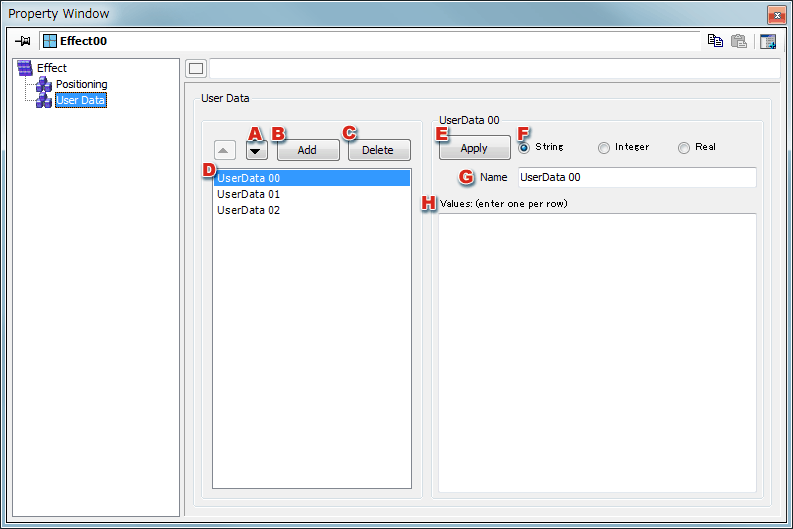
- User-data items currently selected in the list box can be moved up and down in the list.
- Adds new user data.
- Deletes user data items currently selected in the list box.
-
Displays the user data list.
Information about the user data items selected here is displayed in the group box to the right.
- Registers the user data currently being edited in the list.
- Sets the type of value.
- Changes the name of the value.
- Edit value contents here. Take care to enter one value per row.
CONFIDENTIAL