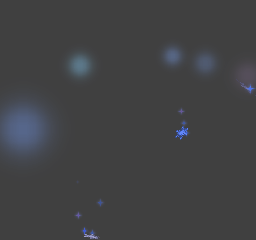
In this tutorial, we describe the procedure for having children inherit their initial velocity from the parent particle that emitted them by setting Inherit the parent's speed (as a child).
Even more natural motion can be achieved by applying random variations to the inherited initial velocity.
The basic procedure is given below.
The effect file used in this tutorial is located in the folder given below.
" SampleData/Effect/Intermediate/ManualResource/Snow_Crystal_Effect/Snow_Crystal_Effect.cptl "
On the main menu, select File > New > Project to open a dialog box for creating new projects.
Without changing the project name, just press OK.
On the main menu, select File > Open, and load the file Snow_Crystal_Effect.cptl located in the folder Snow_Crystal_Effect.
Snow_Crystal_Effect consists of a particle and two child particles.
The following are comments for each entry.
You can express effects such as making snowflakes glimmer faintly by making them move along the same trajectory as the parent snowflake that emitted them.
Open a Property window for the Snow_Crystal_Glow_Particle and set Inherit the parent's speed (as a child) to OFF.
Because Snow_Crystal_Glow_Particle children do not inherit their velocity from their emitter, Snow_Crystal_Particle, they remain motionless and disappear according to their lifespan.
Select the Snow_Crystal_Effect effect and press F5 to transfer data to the Viewer.
Check that Snow_Crystal_Glow_Particle children remain motionless by moving the Viewer camera upward.
Return the Inherit the parent's speed (as a child) setting made for Snow_Crystal_Glow_Particle to ON.
With this setting, Snow_Crystal_Glow_Particle follows the exact same trajectory as its emitter, Snow_Crystal_Particle, by taking the velocity inherited at the point of emission from Snow_Crystal_Particle as its own initial velocity.
Check for variations on the Viewer.
Snow_Crystal_Glow_Particle is made to follow the same trajectory as Snow_Crystal_Particle.
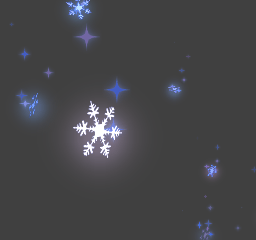
Here, we make the emitted particles fall along with the snowflakes, which gradually slow and fall apart into snow crystal dust due to air resistance.
Open a Property window for the Snow_Crystal_Shine_Particle and check that Inherit the parent's speed (as a child) is set to ON.
Random variations can be applied to the inherited velocity.
Because you check variations on the Viewer, change to a setting where random variations are not applied to the velocity inherited as the initial velocity.
Open a Property window for Snow_Crystal_Shine_Particle and change the value for Acceleration for Field under Particle to 1.0.
This setting represents multiplying the rate of acceleration by one, so there is no variation being applied to the velocity.
Select the Snow_Crystal_Effect effect and press F5 to transfer data to the Viewer.
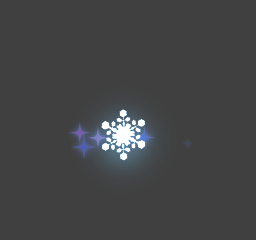
You can check for variations in the velocity inherited as initial velocity by changing the value being used from 1.0 to about 0.90 using the acceleration slider.
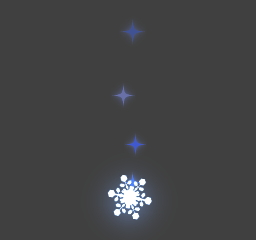
More natural motion can be obtained as follows by applying a random variation to the velocity of the snowflake dust particles, Snow_Crystal_Shine_Particle, emitted from the snowflakes.
CONFIDENTIAL