Window for Displaying Image Details
This window displays information about texture and other images.
For textures that include mipmaps, it is also possible to display an image of the mipmap portion.
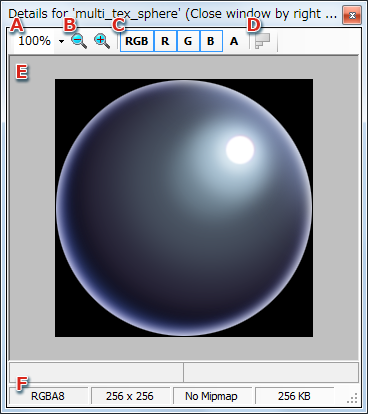
- This is the scaling factor used for display in the details window.
- The display size can be enlarged or reduced.
- Settings for R, G, B, and A can be independently checked by pressing the associated button.
- This can be used when using mipmaps.
Displays the mipmap part of the texture displayed in the details window.
- Allows you to preview the selected image.
- Displays image data details.
CONFIDENTIAL