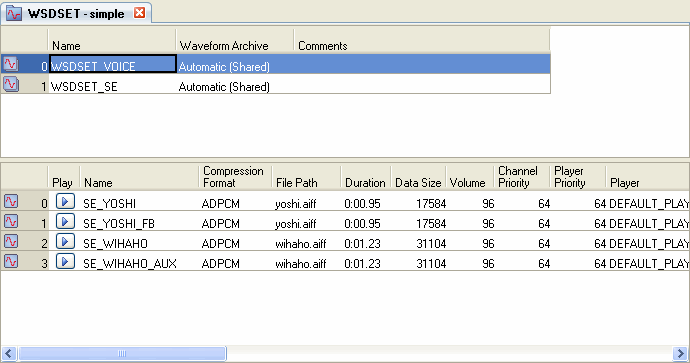
This tab displays sound sets on the right side of the main window.
A sound set comprises eight types of elements. To display and edit them, double-click the corresponding nodes in the Project Tree (or single-click the nodes if the Sound Set tab is open).
This is used to edit sound set (.csst) files.
The Sound Set tab is at the center of tasks performed by SoundMaker. It is where you create various sounds, Players, groups and other items.
The Sound Set tab opens a tab for each sound set (sound set file), and the content on display in the tab can be switched inside the sound sets.
The tab title shows the list type and the sound set name.
The following notation is used for the list types.
STRM = Stream Sound
WSDSET = Wave Sound Set
SEQ = Sequence Sound
SEQSET = Sequence Sound Set
BANK = Bank
WARC = Waveform Archive
PLAYER = Player
GROUP = Group
CONFIDENTIAL