The common features of all screen contents used for viewing and operating in all modes is explained here.
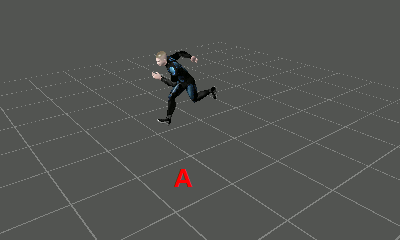
The grid can be displayed in the global space to show the model, effect direction, and size more clearly.
The settings specific to grid spacing and its display/hide setting can be changed in the initial settings file (Viewer.in).
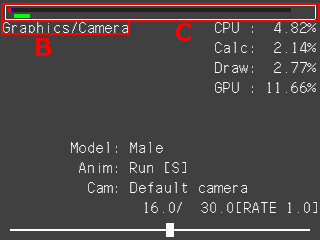
Shows the current main mode and sub-mode
Displays the processing time used for the main process of each mode as a meter. The red and blue meters show the time used for CPU processing, and the green meter shows the time used for GPU processing.
The gray meter shows the time used for processing by the Viewer system overall. If this meter reaches the edge, the Viewer will drop processes and animation playback and operations will begin being affected.
As for CPU processing time, the red part shows the time required for things such as animation and SRT calculations, while the blue part shows the time used for rendering.
Although the processing times shown in these meters do not include the system processing of the Viewer (the gray meter being the exception), in some cases they will display data and rendering in a non-optimized way for editing.
Operations of Changing modes and opening menu screen are common controller operations regardless of the mode.
| Key Operations | Description |
| START/SELECT Button + Left/Right Button | Launches the menu screen. |
| R Button & B Button | Shows/hides the grid and screen information. |
| Key Operations | Description |
| PLUS Button + Left/Right Button | Launches the menu screen. |
| ZR Trigger Button + B Button | Shows/hides the grid and screen information. |
CONFIDENTIAL