This section describes problems that can easily arise or be encountered when using SoundMaker and how to resolve them.
Delete the (project_name).cspj.settings file and try to launch it again.
Delete the (project_name).cspj.settings file and try to launch it again.
Try re-converting.
If the maximum number of parallel conversions set under Tools →Options is two or more, set it to one and try re-converting.
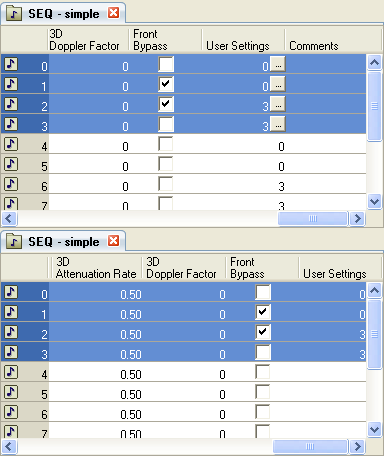
In lists in the Sound Set tab and the Bank tab, the numbers shown in the items on the far right side are sometimes overwritten by the display of the scrollbar and hidden from view.
Display example
When the screen state is like that shown here at the top and the Comments item is set to be hidden, the screen takes the state shown at the bottom and the values in the User Setting item can longer be seen.
If this happens, avoid problems by placing some item of low importance like the Comments item at the far right side.
CONFIDENTIAL