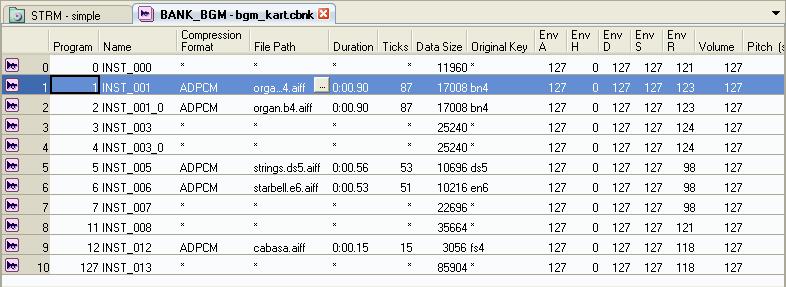
The Bank tab is divided into upper and lower sections for display. The upper part is called the Instrument List.
The Instrument List is used to create instruments and specify program numbers. The Instrument List functions as a tone set when a sequence references a bank. Single-region instruments that have only a single region can be edited using the Instrument List only.
Select Project → Add Item → Instruments while the Bank tab is active.
It is possible to create or add a new instrument using the shortcut menu that opens from right-clicking the Instrument List.
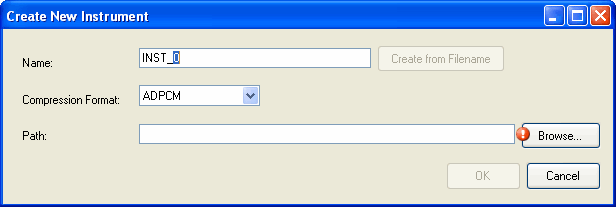
An original key created in the default state is configured automatically with the settings deemed appropriate based on the specified wave file's filename and additional information.
(For example, the A3 portion of the test_A3.aif filename.)
Notes written to file names are described in accordance with the sequence command rules.
The order of the settings is as follows.
cn4.
See Instrument Parameters for an explanation of envelopes.
Applicable target settings can be made separately for each instrument.
Targets can be switched using the shortcut menu for the Instrument List.
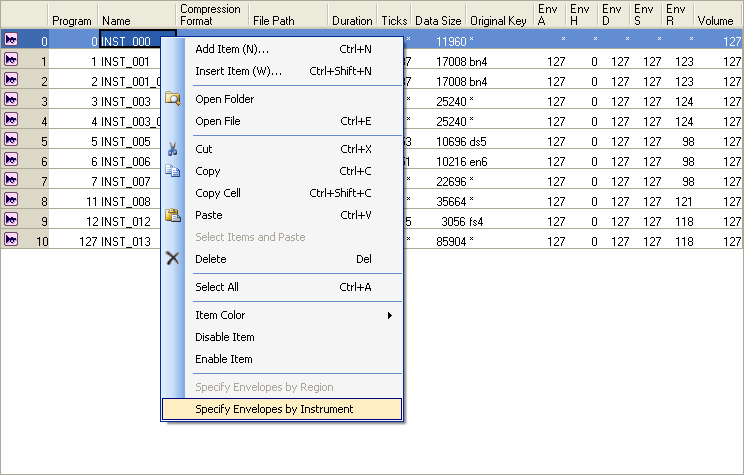
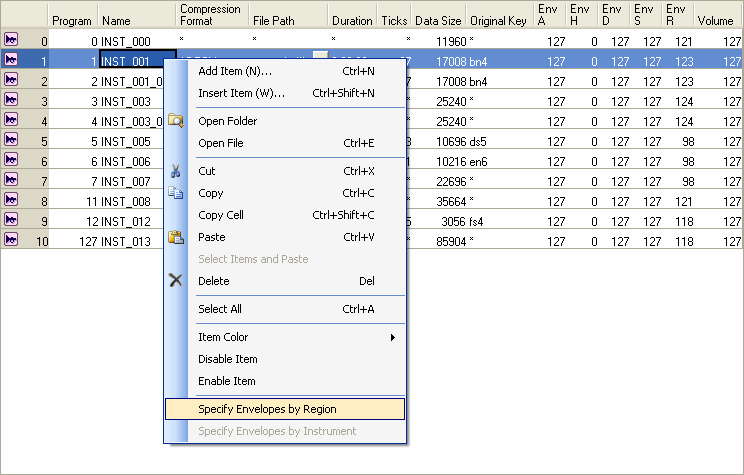
Select either Open Folder or Open Reference File from the shortcut menu to perform various operations on the files.
This section describes the meaning of each of the elements that defines an Instrument List.
Specifies the instrument assigned to a program change number when a bank is referenced by a sequence. Although only 128 program numbers can be specified for MIDI program changes, we can assume that some numbers have been specified for text sequences, so you can use the Instrument List to specify program numbers in excess of this limitation.
Specifies the name of an Instrument List.
There are restrictions on the characters that can be used in a name. The following characters can be used.
- The first character must be a single-byte letter or an underscore. [a-zA-Z_]
- Other characters must be single-byte alphanumeric or an underscore. [a-zA-Z0-9_]
Specifies the compression method to use when the converter converts reference wave files.
Specifies the path to the wave file referenced by an instrument.
This specification can be made from the Instrument List only for single-region instruments. In the case of multi-region instruments, "*" is displayed for this option to indicate that editing is impossible.
There are restrictions on the characters that can be used in a file name or path name. The following characters can be used.
- The first character of a file name must be a single-byte letter or an underscore. [a-zA-Z_]
- Other characters in a file name must be single-byte alphanumeric or an underscore. [a-zA-Z0-9_]
Displays the playback time for sounds (the length of the waveform data expressed as time).
The units are displayed in the "m:s.ms" format. The milliseconds are rounded up to the nearest two decimal places.
Displays the length of the required node commands.
Ticks are units for specifying the length of the notes and rests within text sequences.
The number of ticks per minute and second will depend on both the tempo and the quarter note resolution, but if we assume the default tempo value of 120 qpm (quarter notes per minute), and we assume that the quarter note resolution of the text sequence is set at the default value of 48 (this is different than the value that is set in the SMF Quarter Note Resolution field under Project Settings, they can be calculated as follows:
Knowing the number of ticks is useful when writing text sequences.
Note that changing the pitch of an instrument will cause the actual playback duration to increase or decrease, and the number of actual ticks taken for playback will change accordingly.
Shows the size of the waveform data after compression conversion.
If multiple waveform files are referenced, as in the case of multi-region instruments, the sum total size of the reference files is shown.
The content on display is updated when files are converted.
Specifies the original key (the position on the keyboard where the wave file is played at its original pitch) for the wave file to be referenced.
This specification can be made from the Instrument List only for single-region instruments. In the case of multi-region instruments, "*" is displayed for this option to indicate that editing is impossible.
Specifies the envelope attack time as a value from 0 to 127.
This specification can be made from the Instrument List only when envelope settings are being applied at the instrument level. If this setting is being applied \at the region level, "*" is displayed for this option to indicate that editing is impossible.
This operation is the same for each phase of envelope specifications given below.
Specifies the envelope hold time as a value from 0 to 127.
Specifies the envelope decay time as a value from 0 to 127.
Specifies the envelope sustain level as a value from 0 to 127.
Specifies the envelope release time as a value from 0 to 127.
Specifies the instrument's volume as a value from 0 to 255.
If sound data volume is set to 127, playback is made at an equal volume (x1) as source data.
However, volume can be set in various ways (data or program).
The result after all setting values are applied is clamped between 0.0x and 2.0x versus the source volume.
For more details, see the chapter Operating Sound Parameter Controls in the Sound System Manual.
Specifies the instrument's pitch in units of half tones.
Specifies the instrument's pitch in units of cents (1 cent = 1/100th of a semitone).
Specifies the interpolation type for instruments.
Configure the voice interpolation method and select either 4-point interpolation, Linear interpolation or No interpolation.
The default value is 4-point interpolation (INTERPOLATION_TYPE_POLYPHASE).
In the descriptions below, the interpolation algorithm used when converting the sampling rate is configured and obtained in the application using the nn::snd::Voice::SetInterpolationType function and the nn::snd::Voice::GetInterpolationType function.
CONFIDENTIAL