Lookup table set Properties panel
The lookup table set Properties panel can be used to create and manage lookup tables.
On the CreativeStudio menu, click on content created by selecting Create > Lookup table set to open a lookup table set Properties window.
Lookup Table Set Properties Panel Settings and Features
This page describes lookup table set Properties panel settings and features.
For details on using lookup tables created for a lookup table set, click here.

-
Lookup table list
You can create or delete lookup tables.
Created lookup tables are displayed in a list. -
Selected lookup table
Absolute value settings for the created lookup table and lookup table name changes can be applied.
Lookup table list
You can create or delete lookup tables.
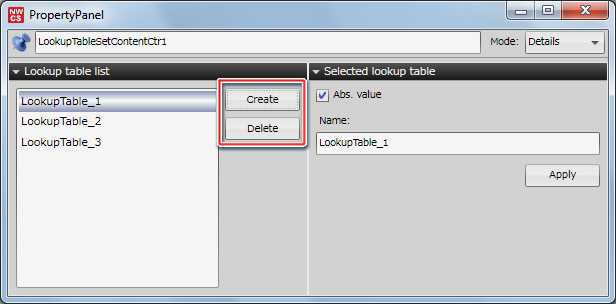
Pressing the Create button creates a new lookup table.
Pressing the Delete button deletes the selected lookup table.
Selected lookup table
You can turn Abs. value on/off or change the name of the lookup table selected in the lookup table list.

Pressing the Apply button applies changes made to the lookup table.
Abs. value
If the Abs. value checkbox is left unselected, input value settings in the lookup table are enabled between -1 and 1.
The Abs. value checkbox is selected by default and input value settings are enabled between 0 and 1.
Only the checkbox for Abs. value is applied at the time it is changed even if the Apply button is not pressed.