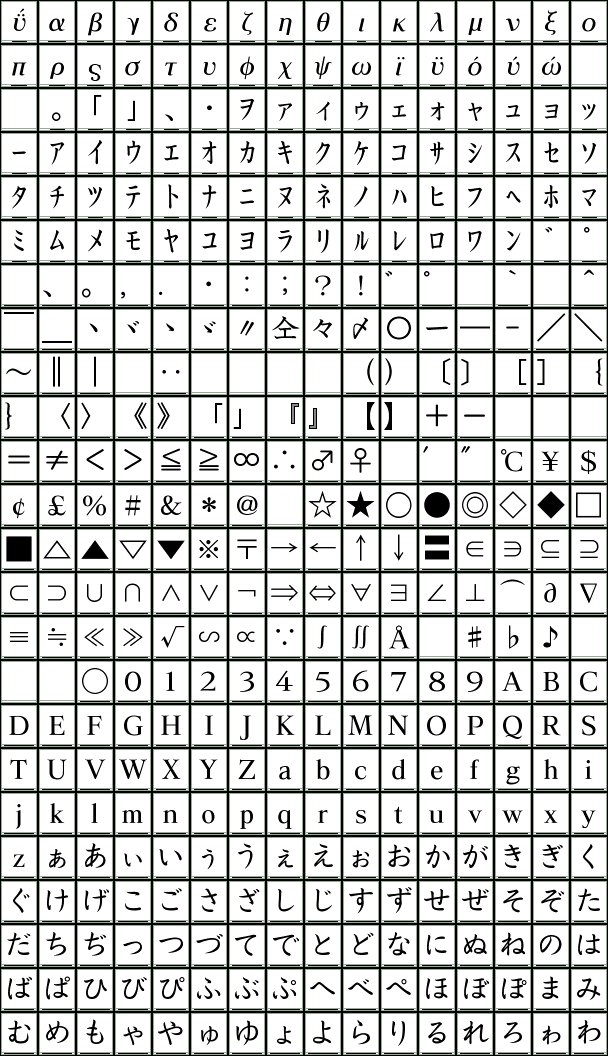
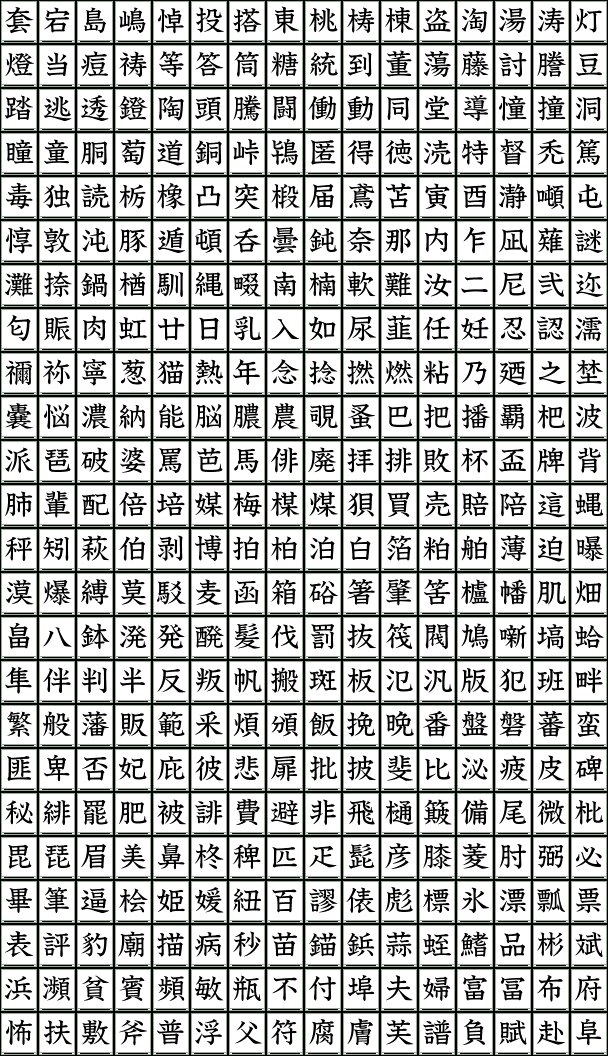
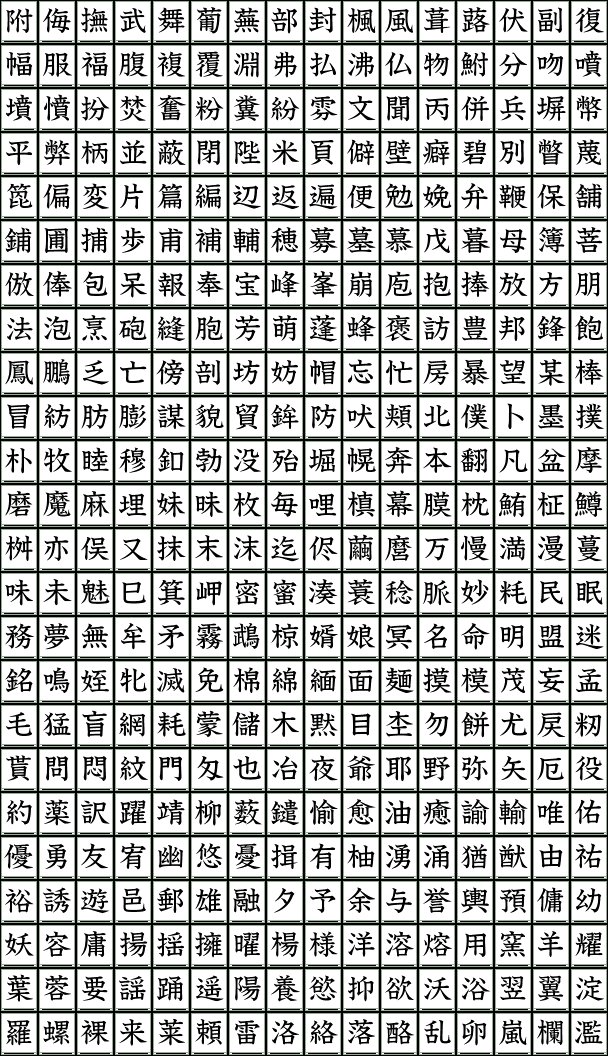
Two types of Wii bitmap fonts are stored in the NAND flash memory built into the Wii console. In addition, the same Wii bitmap fonts stored in NAND flash memory are included with the Revolution SDK in the form of files.
The FNT functions provide basic features for using the Wii bitmap font included in the Revolution SDK and the Wii bitmap fonts stored in NAND flash memory.
The Wii bitmap font stored in NAND flash memory can only be used with NAND applications.
The Wii bitmap font has been created to roughly cover the following character sets. Kanji support extends to the JIS Level 2 Kanji.
ASCII
ISO 8859-1
ISO 8859-7
CP 932
CP 1252
CP 1253
JIS X 0201
JIS X 0208
DS External Characters
Wii External Characters
The font images included in the Wii bitmap fonts can be accessed through the following links.
Wii Bitmap Font 1
Image 1 Image 2 Image 3 Image 4 Image 5 Image 6 Image 7 Image 8 Image 9 Image 10
Image 11 Image 12 Image 13 Image 14 Image 15 Image 16 Image 17 Image 18 Image 19 Image 20
Wii Bitmap Font 2
Image 1 Image 2 Image 3 Image 4 Image 5 Image 6 Image 7 Image 8 Image 9 Image 10
Image 11 Image 12 Image 13 Image 14 Image 15 Image 16 Image 17 Image 18 Image 19 Image 20
The Wii bitmap font file (font resource) is in a compressed state. To use the Wii bitmap font, the compressed font data must first be expanded in main memory.
There are two methods of using a Wii bitmap font: one where all font resources are loaded into memory from DVD or NAND, and another where font resources are loaded successively into memory from DVD or NAND.
Whichever method you use, get the size of the font data buffer first using the FNTGetDataSize function and then allocate the font data buffer.
If all font resources are loaded into memory, expand font data by calling the FNTConstruct function. If font resources are loaded into memory successively, first call the FNTInitStreamingConstruct function. Next, continue loading font resources and calling the FNTStreamingConstruct function until expansion of font data is finished.
Image data is divided into multiple texture images (sheets) having the same size when expanded. A texture image sheet can be used as-is as the texture image data stored in the GXTexObj structure. The FNTGetTexture function returns the pointer to the sheet that includes the specified character and the character position inside the sheet.
The Wii bitmap font is a variable pitch (proportional) font. The width in texels of a specified character can be obtained by calling the FNTGetTexture and FNTGetWidth functions.
The character encoding method to be passed to the FNTGetTexture and FNTGetWidth functions can be specified using the FNTSetEncoding function. The current encoding method can be obtained using FNTGetEncoding. UTF16 is set immediately after initialization by the FNTConstruct or FNTStreamingConstruct function.
Font height, ascent, descent, line spacing, etc. can be obtained using the FNTGetMetrics function.
Using the FNTSetAlternateChar function, you can change the alternate character that is used to substitute for any characters not included in the font.
You need to use special Wii bitmap fonts for the Chinese and Korean versions of the Wii console. Use the Chinese and Korean versions of the Wii bitmap fonts, which are stored in the following directories:
|
The Chinese and Korean versions of the Wii bitmap fonts contain a bug: The index of their default alternate character is not set correctly. These bitmap font versions cannot use their default alternate characters. When using alternate characters with these fonts, explicitly specify them.
You can use Wii bitmap fonts that you have modified yourself. For example, you can use techniques such as edges and drop shadows.
| File | Description |
fntdemo/src/fntdemo1.c |
The sample demo displays characters using two types of fonts. |
2008/07/23 Added descriptions for character groups and modifications.
2008/06/24 Added description of the Chinese and Korean versions of the Wii bitmap fonts.
2008/04/14 Added mention of alternate characters.
2006/10/01 Initial version.
CONFIDENTIAL