This program tests multiple lighting channels. Each of the four channels uses one light, and you can choose which channel should be displayed. The alpha light makes an object transparent by using alpha blending.
| Functions | Parameters | Description |
GXInitLightPos |
Position coordinate (x, y, z) | Various values. |
GXSetNumChans |
Number of color channels. | 2 |
GXSetChanCtrl |
Color channel ID | GX_COLOR0, GX_ALPHA0, GX_COLOR1, GX_ALPHA1. |
| Channel enable | Always GX_ENABLE. |
|
| Ambient color source | Always GX_SRC_REG. |
|
| Material color source | Always GX_SRC_REG. |
|
| Light mask | GX_LIGHT0 for Color0 channel.GX_LIGHT1 for Alpha0 channel.GX_LIGHT2 for Color1 channel.GX_LIGHT3 for Alpha1 channel. |
|
| Diffusion function | Always GX_DF_CLAMP. |
|
| Attenuation function | Always GX_AF_NONE. |
|
GXSetChanAmbColor |
Color channel ID | GX_COLOR0A0, GX_COLOR1A1. |
| Ambient color | Only one color. | |
GXSetChanMatColor |
Color channel ID | GX_COLOR0A0, GX_COLOR1A1. |
| Material color | Only one color. | |
GXSetBlendMode |
Types | GX_BM_BLEND |
| Input factor | GX_BL_INVSRCALPHA |
|
| Output factor | GX_BL_SRCALPHA |
|
| Logic calculations | N/A |
START exits the test.
The Control Stick moves the position of the selected light.
The C Stick rotates the model.
A Button changes the model.
B Button toggles color channel to display.
The L and R Buttons select a light.
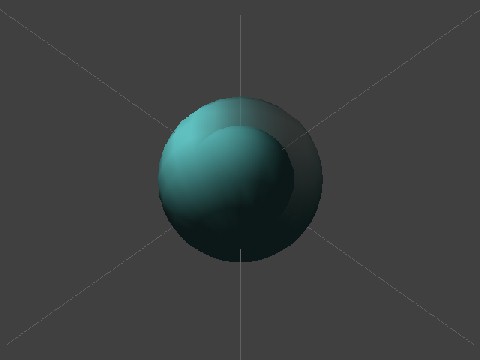
An opaque sphere (inside) and a half-transparent sphere (outside). Color channel 0 is used.
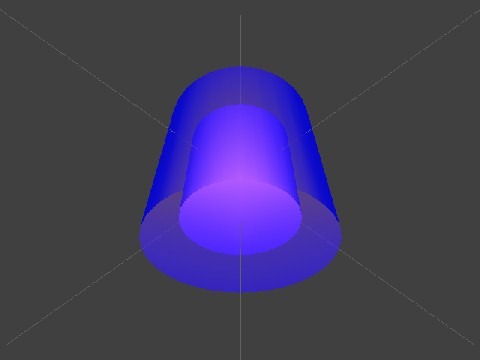
Cylinders with color channel 1.
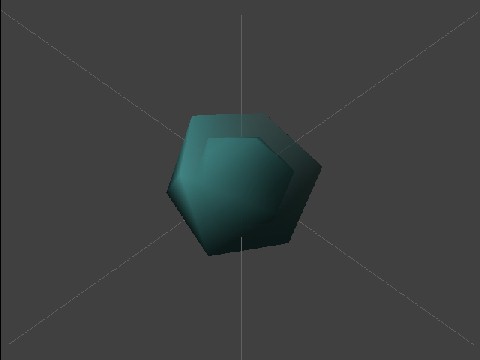
Regular icosahedra with color channel 0.
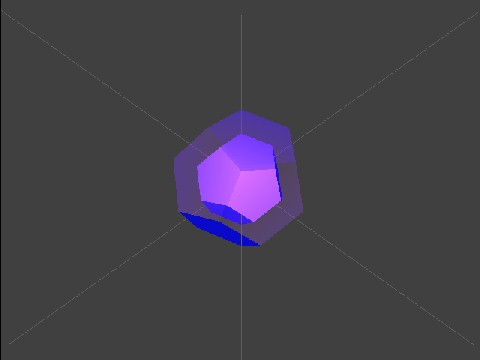
Regular dodecahedra with color channel 1.
None.
2006/03/01 Initial version.
CONFIDENTIAL