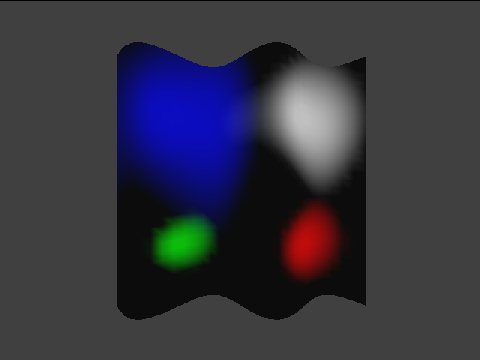
This program tests spotlighting with angular attenuation control. A tessellated wall is lit by four lights used in one color channel. You can control the direction and angular attenuation of each light. Furthermore, the attenuation function can be turned on/off.
| Function | Parameters | Description |
GXInitLightPos |
Position coordinate (x, y, z) | Various values. |
GXInitLightDir |
Light direction (nx, ny, nz) | Various values. |
GXInitLightColor |
Light color | Four colors. |
GXInitLightAttn |
angle attenuation coefficients | Appropriate value sets. |
| distance attenuation coefficients | Fixed (k0=1, k1=0, k2=0). | |
GXLoadLightObjImm |
Light ID | GX_LIGHT0 - GX_LIGHT3. |
GXSetChanCtrl |
Color channel ID | Always GX_COLOR0. |
| Channel enable | Always GX_ENABLE. | |
| Ambient color source | Always register source. | |
| Material color source | Always register source. | |
| Light mask | Some combinations. | |
| Diffusion function | Always GX_DF_CLAMP. | |
| Attenuation function | GX_AF_SPOT / GX_AF_NONE | |
GXSetChanAmbColor |
Color channel ID | Only GX_COLOR0A0. |
| Ambient color | Only one color. | |
GXSetChanMatColor |
Color channel ID | Only GX_COLOR0A0. |
| Material color | Only one color. |
START exits the test.
The B button selects a light or camera (white light, red light, green light, blue light, camera mode).
Light control mode
The Control Stick controls the direction of the selected light.
The C Stick changes the x and y position of the selected light.
The L and R Buttons change the z position of selected light.
The X and Y Buttons change the spotlight shape (i.e., attenuation parameters) of the selected light.
The A Button hides the light position mark.
Camera control mode
The Control Stick moves the camera.
The X Button enables spotlight attenuation.
The Y Button disables spotlight attenuation.
The L and R Buttons change the wall shape.
None.
03/01/2006 Initial version.