
A group is one constituent element of a sound set. Each item in created sounds and other entities are registered. Data (such as wave data) are gathered together at the group level during conversion.
By skillfully classifying sounds according to the scenes and stages in which they are used, and by registering them with different groups, you can make more efficient use of memory, and the application can load waveform data into memory more efficiently.
Group settings are configured in the group list and the group item list in the Sound Set tab.
These settings are used to create groups and to register items with those groups.
Double-click the Group node in the project tree (or single-click if the Sound Set tab is open). The Sound Set tab is split into upper and lower sections, displaying two kinds of lists.
The upper section displays a list of groups. When a group is selected from the upper section of the screen, a list of items registered with that group is displayed in the lower part.
The list in the upper section is called the group list, and that in the lower section is called the group item list.
To create a group, select Group in the project tree, click inside the Sound Set tab to change the focus, and then select Project → Add Item → Groups....
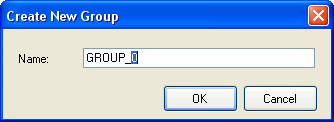
The Create New Group dialog box appears. Enter the required information.
Select the group to which you want to register items from the Group List displayed in the upper part of the Sound Set tab. Next, select Project → Add Item → Group Item....
The Create New Group Item dialog box appears. Select the items you want to register.

CONFIDENTIAL