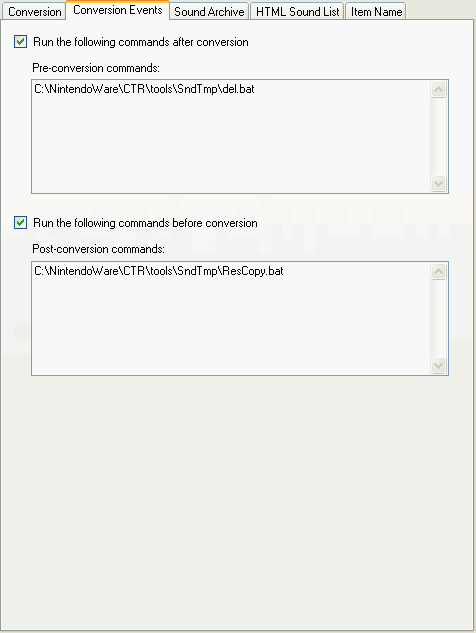
You can specify batch files (with the .bat extension) to run before and after conversion.
This can be used, for example, to always copy the binary file created by the conversion to another location or to change the file name.
This section describes the procedure to execute a batch file before and after conversion.
The batch file to launch is configured in the Project Settings dialog box.
Click Project and then Project Settings to open the Project Settings dialog box.
Select the Convert Event tab in the Project Settings dialog box. Enter the path of the batch files to run before and after conversion in Command before conversion and Command after conversion, respectively.
You can use either an absolute or a relative path. If a relative path has been specified, it is parsed as a relative path from the directory where the Project file is located.
You can temporarily disable a command by de-selecting its check box.
Starting with the next conversion, the batch file specified for a command will be run if that command's check box is selected.
Note: Interactive input of the type that requires input during execution is not supported when using Command before conversion or Command after conversion.
CONFIDENTIAL