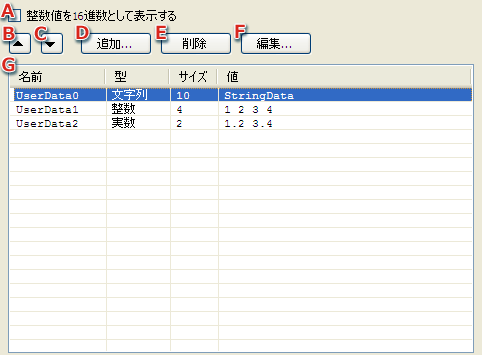
Configures the user data settings.
Adds the user data to the list.
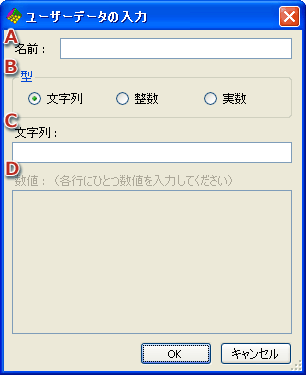
The setting is configured in the User Data Input dialog.
If user data is selected, the new data is prepended.
If user data is not selected, the new data is added appended to the end of the list.
The list of configured user data.
User data is listed in order by name, format, size and value.
The format has one of the following values.
Size indicates the number of characters for character string data and the amount of data for numeric data.
Inputs (edits) user data.
CONFIDENTIAL