3D Link Window
This window is used to perform operations for displaying objects and effects controlled using 3DEditor together at the same time.
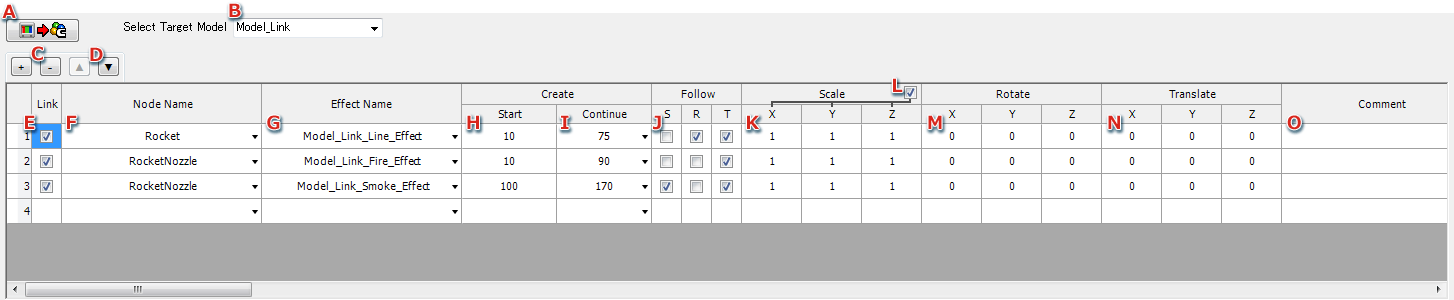
-
Gets information about the target model for EffectMaker from the Viewer.
-
Selects the target model.
-
Buttons for adding rows to or deleted rows from the link information table below.
-
Buttons for moving selected rows in the link information table up and down.
-
Sets whether to link.
-
Sets which node of the target model the effect should be linked to.
-
Sets the effect to be linked.
-
Sets the number of frames at which to start generation.
-
Sets whether generation is continuous.
-
Sets the S, R, and T follow.
-
Sets the scale value.
-
Sets whether to link scale XYZ values.
-
Sets the angle of rotation.
-
Sets the distance to move.
-
Used to enter comments.
CONFIDENTIAL