Main Window
-
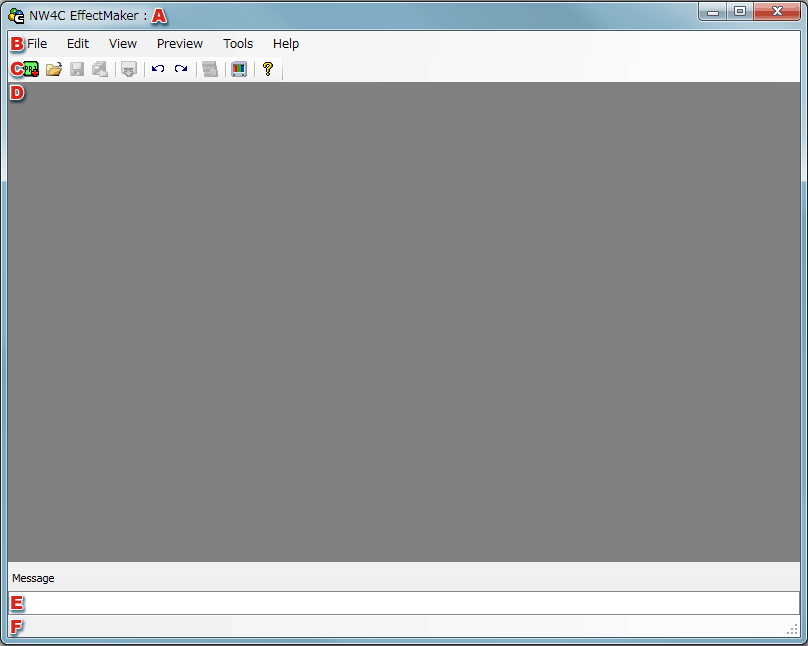
Title Bar
Displays the file path of the selected file. If a file was changed and not saved, an asterisk (*) is added to the displayed filename.
-
Menu
Used to call various features.
-
Tool Bar
Allows you to run certain menu commands with buttons.
-
Docking Area。
A Project Window can be docked to this area for display.
Multiple Project Windows can be docked and detached as tags.
-
Message View
Specific error and warning messages are output to this view.
-
Status Bar
Displays a description of each menu item and file I/O status.
CONFIDENTIAL