Textures
The settings for textures used by a material can be edited here.
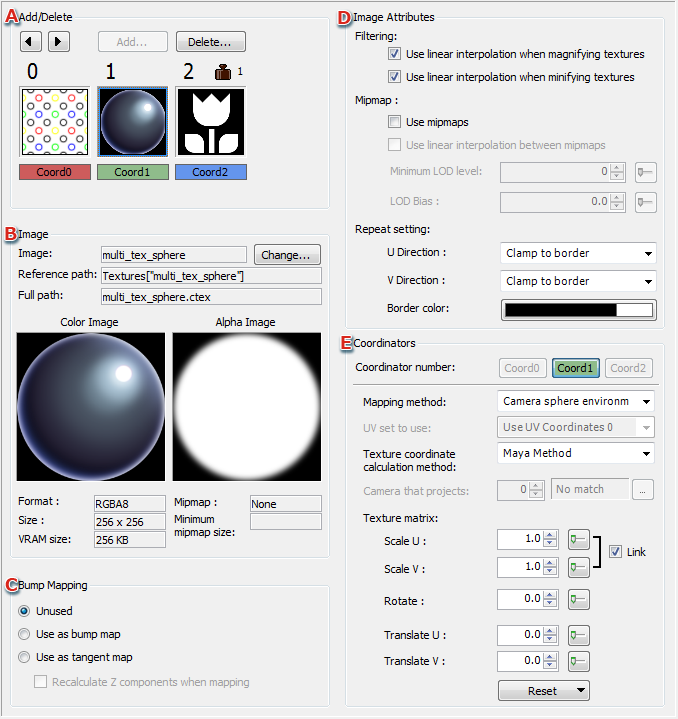
- You can add and delete textures.
Thumbnails are displayed for textures set for a material.
Up to three textures can be set.
- Displays information about the texture selected under A.
- Sets whether to use the configured texture as a bump map using a radio button.
Selects whether to recalculate the z-component when using the bump mapping or tangent mapping.
- Image Attributes
Allows you to set the filtering method, mipmap settings, and repeat settings for the texture.
- Make texture coordinator settings.
CONFIDENTIAL