Texture Patterns
You can configure textures to be used in texture pattern animations here.
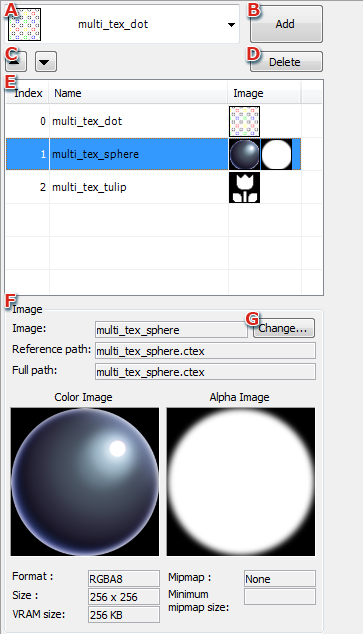
- Select the texture to be added to the texture pattern from the pull-down menu.
Textures that can be loaded into 3DEditor are displayed in the pull-down menu.
- Add
Pressing Add adds the selected texture to the pattern and displays it in a list.
A number is automatically assigned to the added texture.
- The selected texture can be moved up and down in the list.
Moving a texture causes its texture number to change.
- Delete
Deletes the selected texture in the list.
- Texture list
Use the number automatically assigned to each texture to create texture pattern animations.
- Image
Displays information about the texture selected in the list.
- Change
Pressing Change allows you to open a separate window for changing the texture images that have been set.
Change Texture Image Window
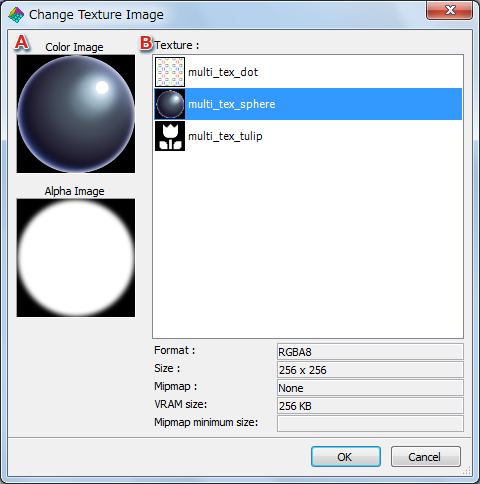
- Displays the color image and alpha image for the texture selected under B.
- Textures
Displays textures that can be changed in a list.
Textures are changed by selecting the texture you want to change and pressing the OK button.
CONFIDENTIAL