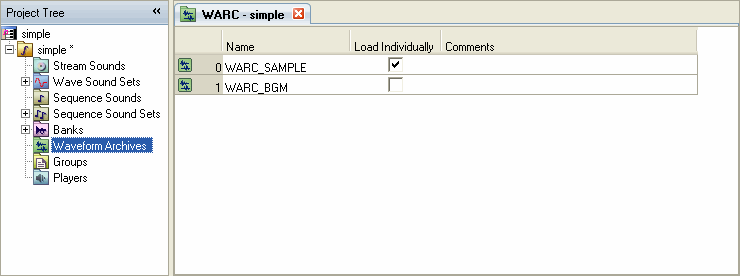
The waveform archive groups multiple waveforms into one file.
Waveform data is much larger than bank data, therefore, bank data and waveform archive data are handled separately.
Because they are handled separately, memory can be used more efficiently. However, bank and waveform archive registration are needed to register one bank.
Waveform archives are configured from the Waveform Archive list in the Sound Set tab.
Select the Waveform Archive node in the project tree. The list displayed in the Sound Set tab is the Waveform Archive list.
To create a waveform archive, right-click within the Waveform Archive list, then select either Add Item or Insert Item from the shortcut menu.
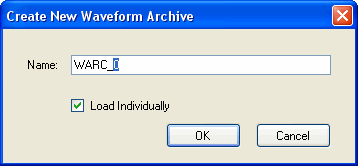
The Create New Waveform Archive dialog box appears. Enter the required information.
CONFIDENTIAL