A small-scale collection of all the information required to create a sound archive is called a sound set. The actual task of creating sounds is primarily carried out on sound sets.
Sound sets are saved in sound set files (extension .csst). More than one sound set file can be registered as a reference for a Sound Project.
Because a sound set is already created when the Create new sound set option is selected in the Create New Project wizard when creating a Sound Project, this procedure can be skipped.
Select Project → Add Sound Set → New Sound Set....
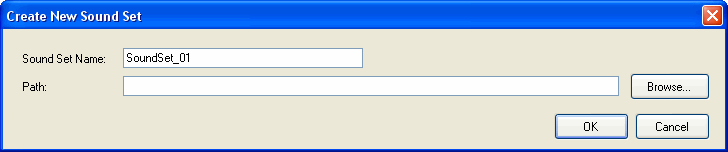
The Create New Sound Set dialog box appears. Specify a sound set name and the path to use for the new sound set file.
The sound set name entered is used as the filename. A sound set file is created at the specified path location. Simultaneously, the created sound set file is registered with the Sound Project as a reference.
When using a sound set file that has already been created, select Project → Add Sound Set → Existing Sound Sets....
Select the sound set file to be registered with the Sound Project within the dialog box.
The specified sound set file is registered with the Sound Project as a reference.
As with comments, sound set names can use any characters, including Japanese characters.
(However, the characters \, /, :, *, ?, ", <, >, and | cannot be used.
Other item names can use only single-byte alphanumeric characters [a-zA-Z0-9] and the underscore ("_").
(Note that numeric characters cannot be used to start a name.)
This name is output to the HTML sound list.
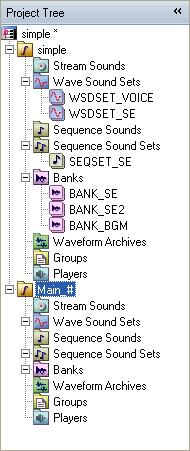
Sound set names can be changed in the project tree.
CONFIDENTIAL