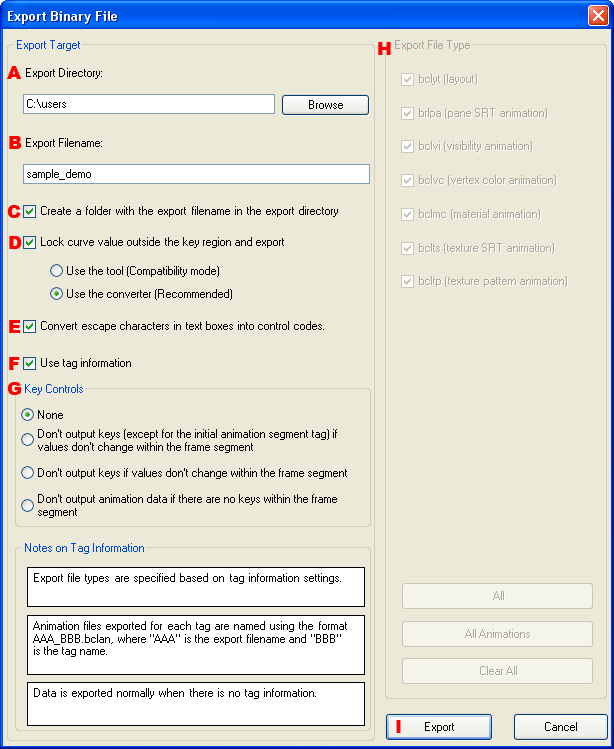
This dialog is used to output layout binary files.
Specify the directory in which to output the layout binary file.
Specify the filename of the layout binary file.
Select whether to create an output directory having the name of the layout.
Select whether to export locked values for regions of the animation curve where keys have not been created.
When you specify this option, LayoutEditor converts and exports the automatically generated curve in a key frame format that can be processed by the hardware library.
You must specify this option if you want the hardware data to reflect the results of the feature of automatically calculating curves for areas outside of key frame segments.
For this locking process, you can select the method using the tool or the method using the converter. (See here for details.)
Determine escape character strings from the character string information in the text box pane and then select whether to convert it to a particular control code.
Select whether to use tag information attached to animation segments to divide up the animation for export.
When tag information is used, output controls are specified for keys.
When tag information is not being used, you can select the export file types.
Starts the output of the layout binary files.
CONFIDENTIAL