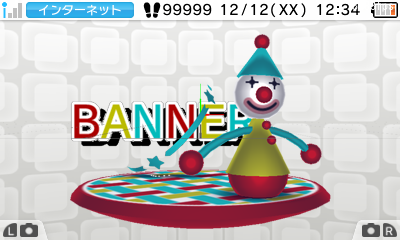
The ctr_BannerModelConverter tool is used to create cbmd (Ctr Binary banner MoDel) files.
Cbmd files are created based on the specified folder structure.
The resulting cbmd file can be used as a makebanner bsf.
You will need the following files to create a cbmd file:
% ctr_BannerModelConverter DIRECTORYNAME [Output]
The DIRECTORYNAME specification is required. All other options are optional.
| Options | Description |
|---|---|
| DIRECTORYNAME | Specifies the input directory name. Be sure to use the specified directory structure (described later). |
| Output | Specifies the file to output. If omitted, a file with the cbmd extension added to the originally input file name will be output. |
A banner is model data displayed in the upper screen when an application is selected.
Banners are used to show a line-up of miniature target applications on the menu.
Banner model data falls into one of two main categories: Model data common to all langauges, and data especially intended for each separate region and language combination.
Make sure to use a directory structure as given below. Specify the Banner folder at the top in DIRECTORYNAME on the command line.
Banner ━┳━ COMMON ━┳━ COMMON.cmdl
┃ ┣━ COMMON.cskla
┃ ┣━ COMMON.cmata
┃ ┣━ COMMON.cenv
┃ ┣━ COMMON.clts
┃ ┗━ Textures ━┓
┃ ┣━ COMMON1.ctex
┃ ┣━ COMMON2.ctex
┃ ┣━ COMMON3.ctex
┃ ┗━ COMMON4.ctex
┣━ JPN_JP ━┳━ JPN_JP.cmdl
┃ ┣━ JPN_JP.cskla
┃ ┣━ JPN_JP.cmata
┃ ┣━ JPN_JP.cenv
┃ ┣━ JPN_JP.clts
┃ ┗━ Textures ━┓
┃ ┣━ JPN_JP1.ctex
┃ ┣━ COMMON1.ctex
┃ ┣━ …
┃ ┣━ …
┣━ …
┣━ …
The COMMON folder contains required items. Other folders can contain anything.
| Name | Regions and Languages |
|---|---|
| COMMON | Common to all regions and all languages |
| EUR_EN | European region, English language |
| EUR_FR | European region, French language |
| EUR_GE | European region, German language |
| EUR_IT | European region, Italian language |
| EUR_DU | European region, Dutch language |
| EUR_PO | European region, Portuguese language |
| EUR_RU | European region, Russian language |
| EUR_SP | European region, Spanish language |
| JPN_JP | Japanese region, Japanese language |
| USA_EN | North American region, English language |
| USA_FR | North American region, French language |
| USA_SP | North American region, Spanish language |
| USA_PO | North American region, Portuguese language (under review) |
The following restrictions apply to banner model data.
Note: These restrictions are provisional. These specifications are subject to change in the future.
The camera is fixed. Adjustment by applications is impossible.
| Camera position x, y, z | View point x, y, z | View angle (fovy) | near/far | Depth Level※ | Factor※ |
|---|---|---|---|---|---|
| 0.0/1.0/44.786 4.786 | 0.0/1.0/0.0 | 30 | - | 38 | 1.0 |
Note: These are the "depthLevel" and "factor" values used by the ulcd::CalculateMatrices function.
Models move at constant velocity toward the screen and rotate once in 600f (10 seconds at 60 fps) to the left. Models rotate.
- Rotation accelerates if the user blows into the microphone.
Note: Use billboard settings for nodes you do not want to be rotated.
Note: Although models do not normally turn if rotated to the right at constant speed for 600f, they will rotate if the user blows into the microphone.
There are restrictions on data to ensure that it is processed as intended by specifications.
Note: Data that violates these restrictions generates an error during conversion. (Not implemented)
Even if inside restrictions, data dropped from processing must be reduced.
| Extension |
◎ Required ○ Doesn't matter ×Not supported |
① Data restrictions on all languages 【Data common to all languages】+【One data for each language】 |
|---|---|---|
| cmdl | ◎ | Number of polygons (3000 or less) Number of bones (5 or less) Layer config (1, 2, 3, or 4 layers; Note: limited to one cycle) Use for masking with an ellipse for which the stencil text is disabled. |
| ctex | ○ | There is no limit on textures as long as there is enough capacity. |
| cskla | ○ | Create a 600f looped animation. |
| cmata | ○ | Create a 600f looped animation. |
| cenv | ○ | Number of lights (3 or less) Number of camers (3 or less) Number of fogs (1 or less) |
| clts | ○ | Number of tables (3 or less) |
| cptl | × | Particles are not supported. |
| csdr | × | User shaders are not supported. (The default shader is used.) |
| clgt | × | Store lights in cenv. Animation is not supported. |
| ccam | × | Store projection camers in cenv. Animation is not supported. |
| cres | × | Merged files are not supported to support swapping of localized releases. |
The following restrictions have been placed on data volume after conversion.
Note: Data that violates these restrictions generates an error during conversion. (Not implemented)
| Data restriction on 【①】+【one of ②】 Data restriction on 【Data common to all languages】+【One data for each languages】 |
Data restriction on 【Data common to all languages】+【All data for each language】 |
|---|---|
| 512KB for a compressed size of 256KB | 1MB for the compressed size |
CONFIDENTIAL